
Clean, theme-independent landing pages in WordPress.
A live HTML, CSS, and JavaScript editor for WordPress. Hand-code it, start from a template, drop in a designer’s file, or paste what AI gave you — preview it live, keep editing, and publish in minutes.
No page builder. No child theme. No build pipeline.
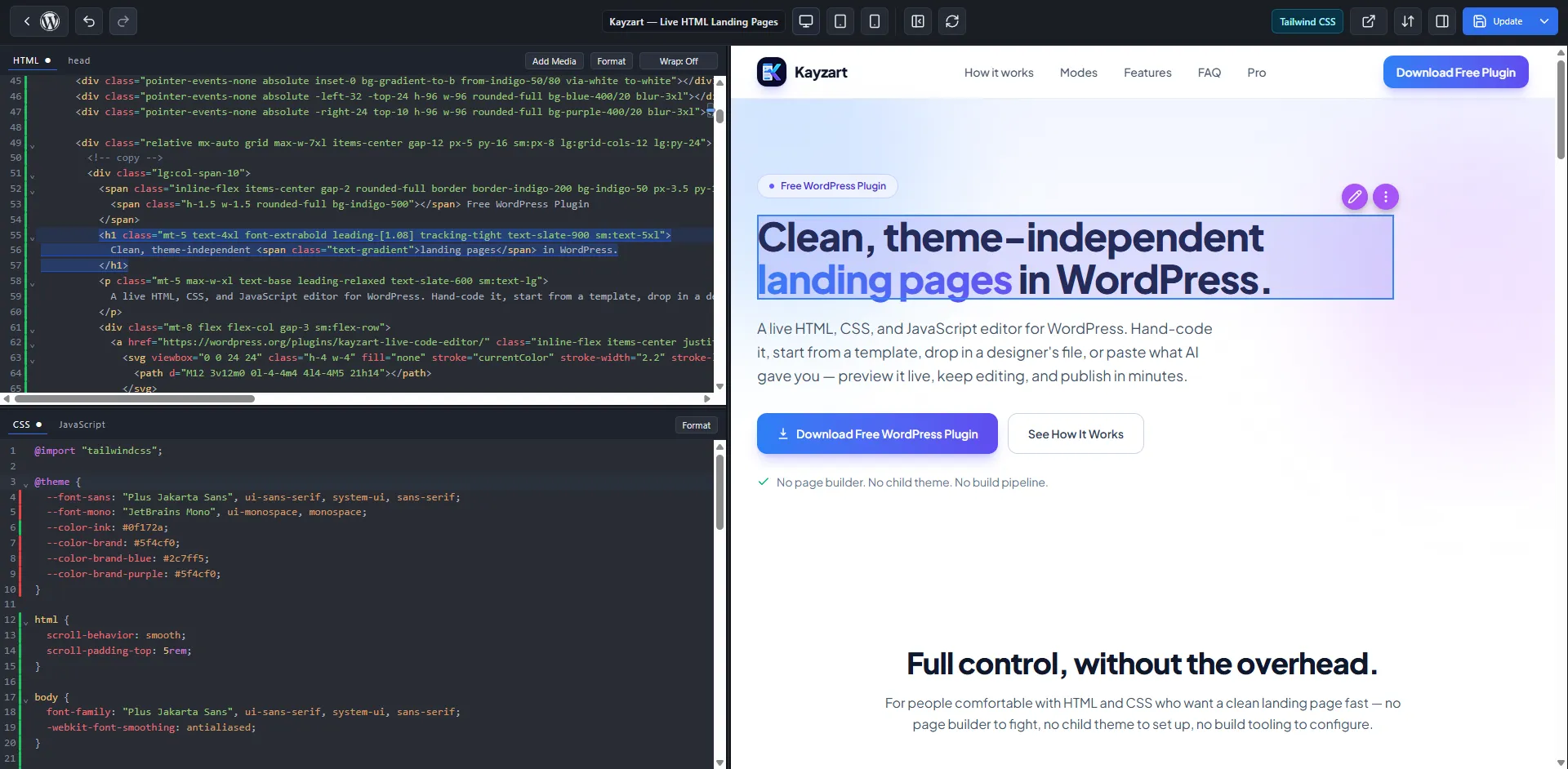
Full control, without the overhead.
For people comfortable with HTML and CSS who want a clean landing page fast — no page builder to fight, no child theme to set up, no build tooling to configure.
Freelancers
Agencies
Theme developers
WordPress site owners
You have the HTML. Publishing it cleanly is the hard part.
You already have the code — hand-written, a template, a designer’s file, or AI output. Getting it into WordPress without a mess is where it stalls.
Paste it into a page and the theme’s CSS breaks it.
A page builder mangles the markup and hides your control.
Spinning up a child theme or build tooling for one page is overkill.
The client needs to tweak the copy later without breaking it.
The source doesn’t matter.
Wherever your HTML, CSS, and JavaScript comes from, Kayzart is where it becomes a real, publishable WordPress page you can keep editing.
Hand-written
Write the page by hand with full control over every tag, class, and script.
A template
Start from a template or snippet and adapt it to the campaign.
A designer’s file
Drop in the HTML/CSS/JS a designer handed you and run it as-is.
AI output
Paste what ChatGPT, Claude, Gemini, or v0 gave you. Kayzart doesn’t generate the code — it’s where that code becomes a page.
From code to a clean WordPress page.
Bring your code
Write it, start from a template, use a designer’s file, or paste AI output — HTML, CSS, and JavaScript.
Paste or import
Drop code into the HTML, CSS, and JavaScript tabs, or import a full HTML document and let Kayzart split it into the right fields.
Preview and adjust
See the page render live as you edit. Click an element in the preview to jump straight to its code.
Publish clean
Use Standalone mode to publish a clean page free of your theme’s header, footer, and styles.
Stop fighting your theme.
Choose per page whether your theme is in the picture at all.
A clean, theme-independent page
The theme’s header, footer, content template, styles, and scripts are not loaded — so nothing interferes with your layout. Your CSS and JS behave exactly as written.
pixel for pixel
Rendered inside your theme
When you do want the page to live inside your site’s chrome, Theme mode renders your content within the active theme’s template — header, footer, and styling included.
Built for control, not bloat.
Live editor with instant preview
CodeMirror 6 editor with an instant iframe preview as you type.
Click preview → jump to code
Select an element in the preview to jump straight to its source.
Full HTML import
Bring one complete HTML document and split it into HTML, head, CSS, and JS.
Elements panel for non-coders
Edit text, links, and images visually — hand the page to a client without the code.
TailwindCSS v4, auto-compiled
Choose Tailwind mode and utility classes compile automatically — latest syntax works.
Duplicate a landing page New
Copy an existing page to a draft for variants and quick reuse.
Classic script or ES Module
Run modern JavaScript your way, per page.
WordPress shortcodes
Drop shortcodes into the HTML; they render normally on the published page.
External embed allowlist
Only the external embeds you allow are permitted.
Iterate faster with AI editing.
The free plugin gives you full control of your live editor. Kayzart Pro adds AI-assisted editing right inside it — hand the current page or a selected element to AI, apply the result, and roll back from history if you don’t like it.
Tighten this hero’s spacing and make the headline punchier.
Landing Pages
Frequently asked questions
No. The free plugin doesn’t generate code. It’s the live editor and runtime where your HTML, CSS, and JavaScript — from any source, including AI — becomes a real WordPress page. AI-assisted editing is a Kayzart Pro feature.
Basic HTML/CSS helps when fine-tuning, and Kayzart gives you full control when you want it. You don’t have to start from scratch — paste existing code and adjust, or edit text, links, and images visually from the Elements panel.
Standalone mode renders your page without the active theme’s header, footer, content template, styles, or scripts — so theme CSS and JavaScript can’t interfere. Kayzart’s runtime and your page’s own CSS/JS still load, so everything behaves as expected.
Yes. Choose TailwindCSS mode when creating or converting a page and Kayzart compiles utility classes automatically. It uses TailwindCSS v4, so the latest utility syntax works out of the box.
Use the full HTML import feature. Paste one complete HTML document and Kayzart splits it into the HTML, head, CSS, and JavaScript fields. You can also convert an existing WordPress page and keep its content as the initial HTML.
Yes. From the Pages list, choose Duplicate landing page for a Kayzart-managed page. Kayzart creates a new draft copy with the page content, Kayzart settings, featured image, and taxonomy terms carried over.
Clean landing pages, inside the WordPress you already run.
Bring HTML from anywhere. Preview it live, keep full control, and publish theme-independent pages in minutes.